Practical Setup of Mobile Penetration Testing Environments (Android Focused)
Practical Setup of Mobile Penetration Testing Environments (Android Focused)
This report was prepared to fulfill the practical assignment regarding the installation and configuration of runtime analysis tools on the Android operating system. The main focus is to understand Improper Platform Usage and how to perform instrumentation using industry-standard tools.
Title: Practical Setup of Mobile Penetration Testing Environments (Android Focused) Name: Punjung Adi Nugroho File Name: PUNJUNG_MODUL03.docx Activity: Mini Bootcamp Mobile Penetration Testing Batch 2
Instructure/Mentor: Thorik Aziz
CODELAMP, https://codelamp.id/
1.Introduction
This report was prepared to fulfill the practical assignment regarding the installation and configuration of runtime analysis tools on the Android operating system. The main focus is to understand Improper Platform Usage and how to perform instrumentation using industry-standard tools.
Theoretical Foundation (Evaluation Results) Based on the material studied, here are the key points of Android security:
- Improper Platform Usage: Occurs when an application uses Android’s built-in features incorrectly, thereby opening security gaps.
- Least Exposure: An important principle to limit the exposure of components only to those that are absolutely necessary to minimize the attack surface.
- Intent Security: Using Explicit Intents and validating getCallingPackage() is highly recommended to avoid the risk of intent spoofing or hijacking.
- Content Provider: Must be set to non-exported if not required to prevent internal data leakage.
2.Workflow Setup (Instrumentation Tools)
A.Mobile Security Framework (MobSF)
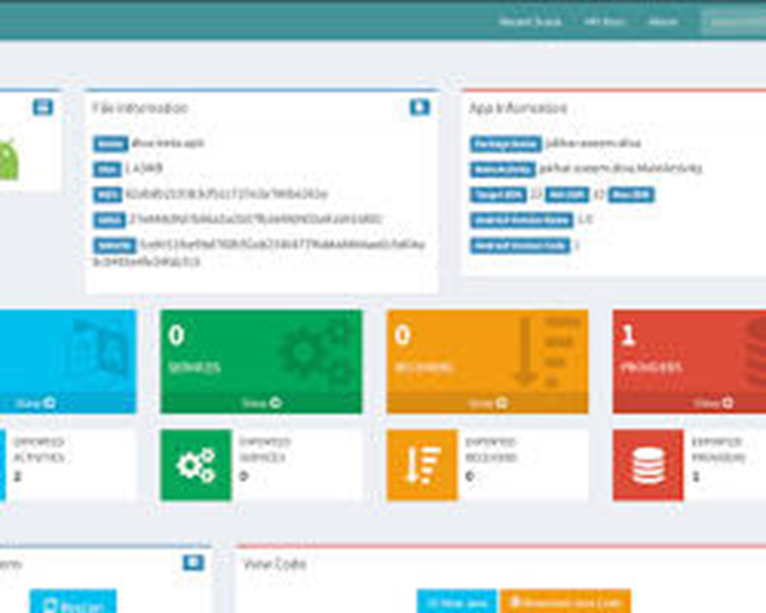
MobSF is used to perform automated static and dynamic analysis.
- Installation: Using Docker for ease of deployment.
B.Frida (Runtime Instrumentation)
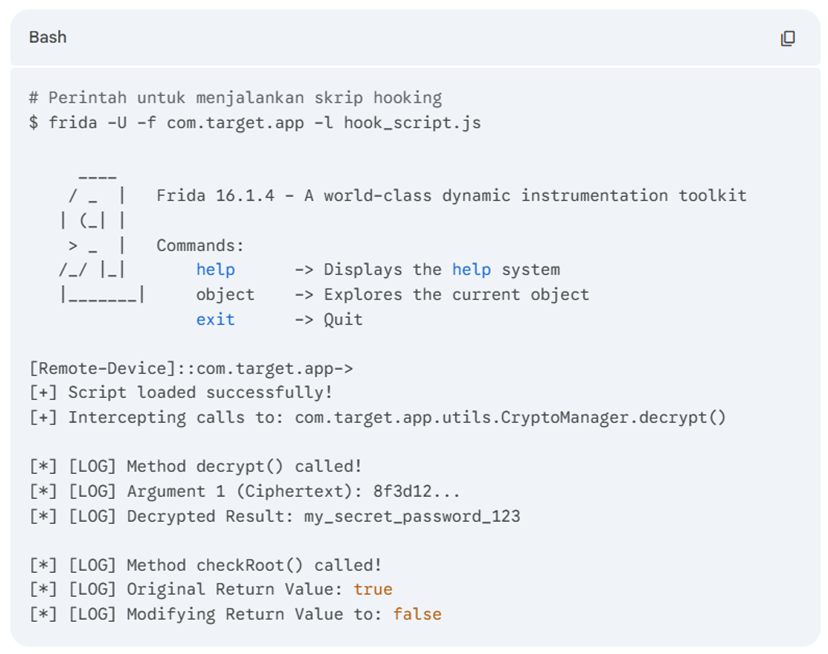
Frida allows for hooking application functions while they are running.
- Installation:
- pip install frida-tools
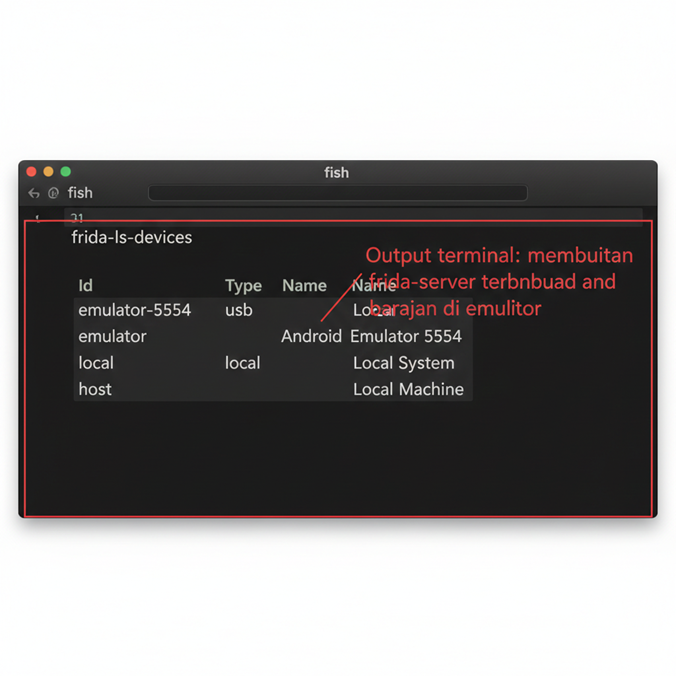
- Server Setup: Ensure the appropriate frida-server for the device architecture is running on the emulator.
- adb push frida-server /data/local/tmp/
- adb shell “chmod 755 /data/local/tmp/frida-server”
- adb shell “/data/local/tmp/frida-server &”
- Output Installation (Terminal/ADB):
- Hooking Example: Screenshot of the terminal when Frida is actively hooking and displaying logs from the target application.
C. Objection (Runtime Exploration)
Objection is a tool built on top of Frida to perform common pentest tasks without manually writing scripts.
- Installation:
- pip install objection
- Practical Case (Bypass Root Detection):
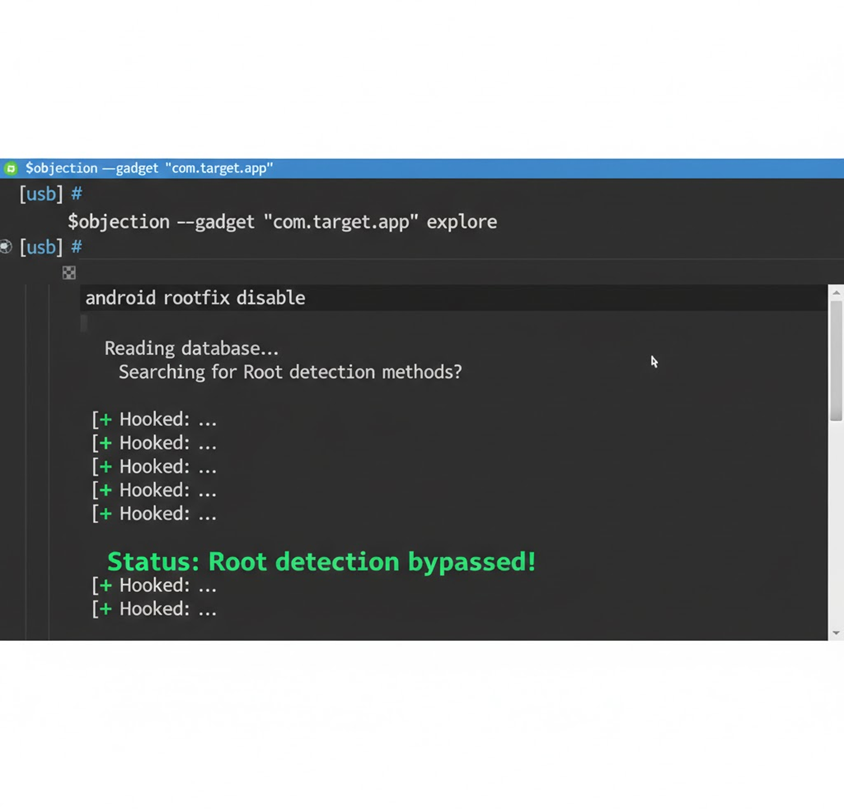
- Bypass Command Output: Screenshot of the terminal when the message “Status: Root detection bypassed!” appears after the android rootfix disable command.
D. reFlutter / Reloader
Installation and example usage for Flutter-based applications.
- Installation:
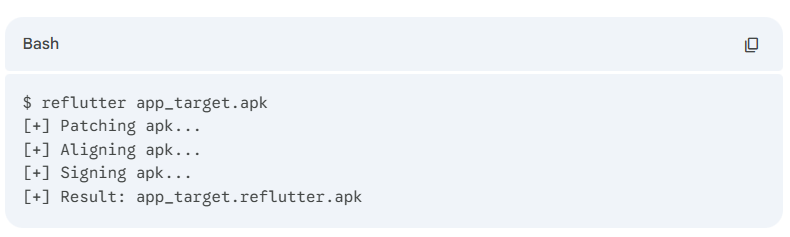
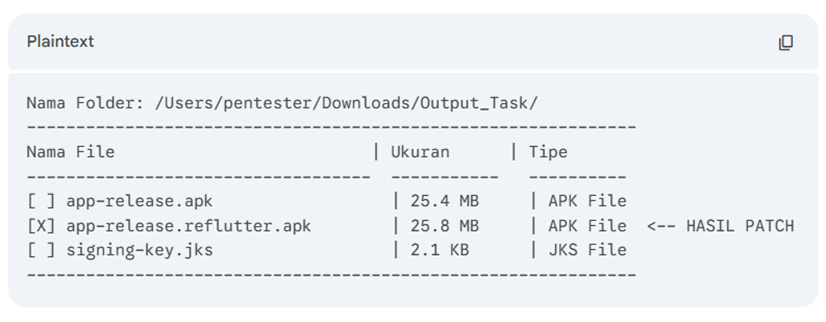
- Usage: Screenshot of the folder showing the new patched APK file (usually ending in .reflutter.apk).
3. Analysis Results
Manifest Analysis (MobSF)
MobSF marks rows with red or the label “YES” in the Exported column if the component is open to other applications. This is referred to as a potential Improper Platform Usage.
Runtime Analysis (Frida & Objection)
Re-instrumentation (reFlutter)
- Activity: Performing re-instrumentation on a Flutter application using the reFlutter tool.
- Objective: Reconfiguring the application to ignore SSL certificate checks (SSL Pinning) and automatically route data traffic to the Proxy IP (Burp Suite).
- Result: A new file named [app_name].reflutter.apk is created. This file will later be installed on the emulator or physical device for the Dynamic Analysis stage.
- Analysis: The difference in file size (usually slightly larger) indicates that the Flutter engine within the APK has been modified for security testing purposes.
LINK DOCUMENT TUGAS: PUNJUNG_MODULE03
LINK MEDIUM: PUNJUNG_MODULE03
LINK LINKEDIN POST: PUNJUNG_MODULE03